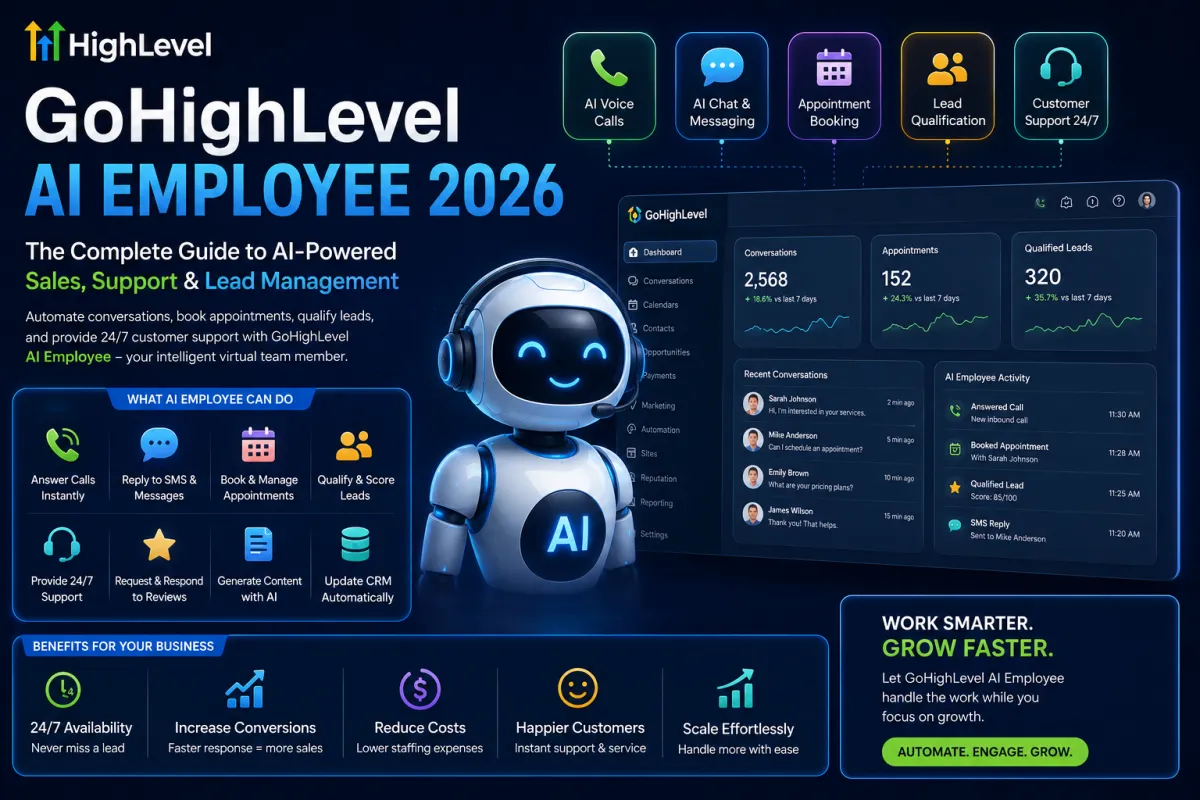
GoHighLevel AI Employee 2026: Complete Guide to Automated Sales & Support
GoHighLevel AI Employee 2026: Complete Guide to Automated Sales & Support
Introduction
Artificial intelligence is changing how businesses attract leads, communicate with prospects, schedule appointments, and provide customer support.
For years, companies relied on human receptionists, sales representatives, and support teams to handle customer interactions. While effective, this approach often becomes expensive, difficult to scale, and vulnerable to missed opportunities outside business hours.
GoHighLevel's AI Employee is designed to solve these challenges.
In 2026, the platform has evolved from being simply a CRM and marketing automation tool into a complete AI-powered business operating system. Businesses can now deploy AI employees capable of answering phone calls, responding to SMS messages, booking appointments, qualifying leads, handling website chats, generating content, and even managing customer reviews.
This guide explains everything you need to know about GoHighLevel AI Employee, including how it works, its benefits, setup process, best practices, real-world use cases, and strategies for maximizing ROI.
What Is GoHighLevel AI Employee?
GoHighLevel AI Employee is an intelligent automation system built directly into the GoHighLevel ecosystem.Unlike traditional chatbots that follow rigid decision trees, AI Employee uses advanced conversational AI to understand customer intent and provide relevant responses.
The AI can interact with customers across multiple communication channels while remaining connected to your CRM, workflows, calendars, and customer database.
Core Responsibilities of AI Employee
The AI Employee can:
Answer inbound phone calls
Handle missed call text back responses
Reply to SMS inquiries
Respond to website chat messages
Manage Facebook Messenger conversations
Schedule appointments automatically
Qualify leads
Route inquiries to the correct department
Follow up with prospects
Generate marketing content
Request and respond to reviews
Update CRM records automatically
Think of it as a digital staff member available 24 hours a day.
Why Businesses Are Adopting AI Employees
Many businesses struggle with:
Slow Response Times
Research consistently shows that lead conversion rates decrease significantly when response times exceed a few minutes. When a potential customer contacts your business, they expect immediate attention.
If they don't receive it, they often move on to competitors.
Rising Labor Costs
Hiring and training employees can be expensive.
Businesses often need:
Receptionists
Sales assistants
Customer support agents
Appointment setters
AI Employees can automate a large portion of these responsibilities.
Limited Availability
Most businesses operate during fixed hours. Customers, however, search online and submit inquiries 24/7. AI Employees ensure no lead goes unanswered.
Key Features of GoHighLevel AI Employee
1. Voice AI
Voice AI allows businesses to automate phone conversations.
The AI can:
Answer incoming calls
Collect customer information
Answer common questions
Book appointments
Transfer calls when necessary
Example
A dental clinic receives a call at 11 PM.
Instead of voicemail:
AI answers instantly.
The AI asks:
Patient name
Preferred appointment date
Type of service required
The appointment is booked automatically. The clinic receives the booking without needing staff intervention.
2. Conversation AI
Conversation AI handles text-based communications.
Supported channels include:
SMS
Customers can ask questions via text. The AI responds immediately.
Website Chat
Visitors receive instant support.
Facebook Messenger
Automated responses increase engagement.
Instagram Messaging
Businesses can automate responses across social channels.
3. Automated Appointment Booking
One of the most valuable features is appointment scheduling.
The AI can:
Check calendar availability
Suggest open slots
Confirm appointments
Send reminders
Handle rescheduling requests
Benefits
Reduced no-shows
Increased booking rates
Improved customer experience
4. AI Lead Qualification
Not all leads are equal.
AI Employee can ask qualifying questions such as:
Example Questions
What service are you interested in?
What is your budget?
When would you like to start?
How many employees does your company have?
The responses are automatically stored within the CRM.
Sales teams can focus on qualified opportunities.
5. AI-Powered Customer Support
Many customer inquiries are repetitive.
Examples include:
Business hours
Pricing information
Service details
Appointment availability
AI Employee can answer these instantly. This reduces support workloads significantly.
6. Review Management
Online reviews influence purchasing decisions.
AI Employee can:
Request reviews automatically
Respond to customer feedback
Monitor reputation metrics
This helps businesses improve online visibility and trust.
Industries That Benefit Most
Healthcare
Healthcare providers can automate:
Appointment booking
Follow-up reminders
Patient inquiries
Benefits
Fewer missed appointments
Better patient communication
Reduced administrative workload
Real Estate
Agents can automate:
Property inquiry responses
Lead qualification
Appointment scheduling
This ensures prospects receive immediate attentin
Legal Services
Law firms can use AI to:
Collect consultation information
Schedule appointments
Route inquiries appropriately
Home Services
Contractors can automate:
Quote requests
Appointment scheduling
Customer support
Examples:
HVAC companies
Roofing contractors
Plumbers
Electricians
Marketing Agencies
Agencies often manage multiple clients simultaneously.
AI Employee helps automate:
Lead generation
Sales conversations
Client onboarding
Appointment scheduling
How AI Employee Integrates With GoHighLevel
One of the biggest advantages is native integration.
The AI is connected to:
CRM
Every interaction updates customer records automatically.
Pipelines
Leads move through sales stages automatically.
Workflows
Actions can trigger automations.
Example:
Lead books appointment → workflow sends confirmation → reminder sequence begins.
Calendars
AI schedules meetings based on real-time availability.
How to Set Up GoHighLevel AI Employee
Step 1: Define Objectives
Determine what tasks AI should perform.
Examples:
Lead qualification
Appointment booking
Customer support
Avoid trying to automate everything initially.
Step 2: Create Knowledge Sources
Provide:
FAQs
Service information
Pricing details
Company policies
The better the information, the better the AI performs.
Step 3: Configure Conversations
Create:
Greetings
Qualification questions
Appointment workflows
Step 4: Test Extensively
Run sample conversations.
Evaluate:
Response accuracy
Booking performance
Lead qualification effectiveness
Step 5: Launch and Monitor
Review conversations regularly.
Look for:
Customer confusion
Missed opportunities
Common questions
Continuously improve prompts.
Best Practices for Maximum Results
Keep Conversations Natural
Avoid robotic responses. Customers prefer human-like interactions.
Use Human Escalation
Not every conversation should remain automated.Provide transfer options when necessary.
Monitor Metrics
Track:
Appointment Rate
How many conversations become appointments?
Lead Qualification Rate
How many leads meet target criteria?
Conversion Rate
How many appointments become customers?
Update Knowledge Frequently
Businesses change constantly.
Ensure AI information remains accurate.
Common Mistakes to Avoid
Over-Automation
AI should enhance—not completely replace—human relationships.
poor Training Data
Inaccurate information leads to poor responses.
Ignoring Analytics
Many businesses activate AI and never review performance. Optimization is essential.
ROI of GoHighLevel AI Employee
Most businesses see value through:
Increased Lead Capture
No missed inquiries.
Faster Response Times
Immediate engagement improves conversions.
Reduced Labor Costs
Fewer repetitive tasks require human involvement.
Better Customer Experience
Customers receive faster answers.
Future of AI Employees
By 2026 and beyond, AI Employees are expected to become standard business tools.
Future developments may include:
Enhanced emotional intelligence
Multilingual support
Predictive sales recommendations
Deeper CRM integration
Advanced autonomous workflows
Businesses that adopt AI early gain a competitive advantage.
Frequently Asked Questions
Is GoHighLevel AI Employee worth it?
For businesses handling significant lead volume, AI Employee can dramatically improve response times and automation efficiency.
Can AI Employee replace a receptionist?
For many routine tasks, yes. However, complex situations may still require human involvement.
Does AI Employee work 24/7?
Yes. AI Employees remain active around the clock.
Can AI Employee book appointments?
Yes. It integrates directly with GoHighLevel calendars.
Is coding required?
No. Most setup processes use visual builders and configuration tools.
Conclusion
GoHighLevel AI Employee represents one of the most significant advancements in business automation available today. By combining conversational AI, voice technology, CRM integration, appointment scheduling, and workflow automation, businesses can create a scalable system that improves efficiency, increases conversions, and enhances customer experience.
Organizations that implement AI Employees strategically will be better positioned to compete in an increasingly automated digital landscape.

